













CEO Mode
Oxley · Lead your morning
Focus and priorities
7 days Full experience, free.
An alarm that eases you out of light sleep, guided meditations to wind down, and a morning that starts on your terms.
A standard alarm fires at one fixed second. If that second lands in deep sleep, you wake groggy and reach for snooze. WakyWaky watches for a lighter moment inside a window you choose, then brings sound in slowly.
Short sessions with a calm voice over soft soundscapes. They are stored on your phone, so they play offline, with no streaming and no account.
Rain, ocean, birds, gentle piano, flute, drums and ambient textures. A curated library, original or properly licensed, that lives on your device.
Pick a Smart Wake window of 15 to 60 minutes. WakyWaky estimates your sleep phase from movement in bed and rings at a light-sleep moment inside the window, always by the time you set. A soft soundscape fades in first.
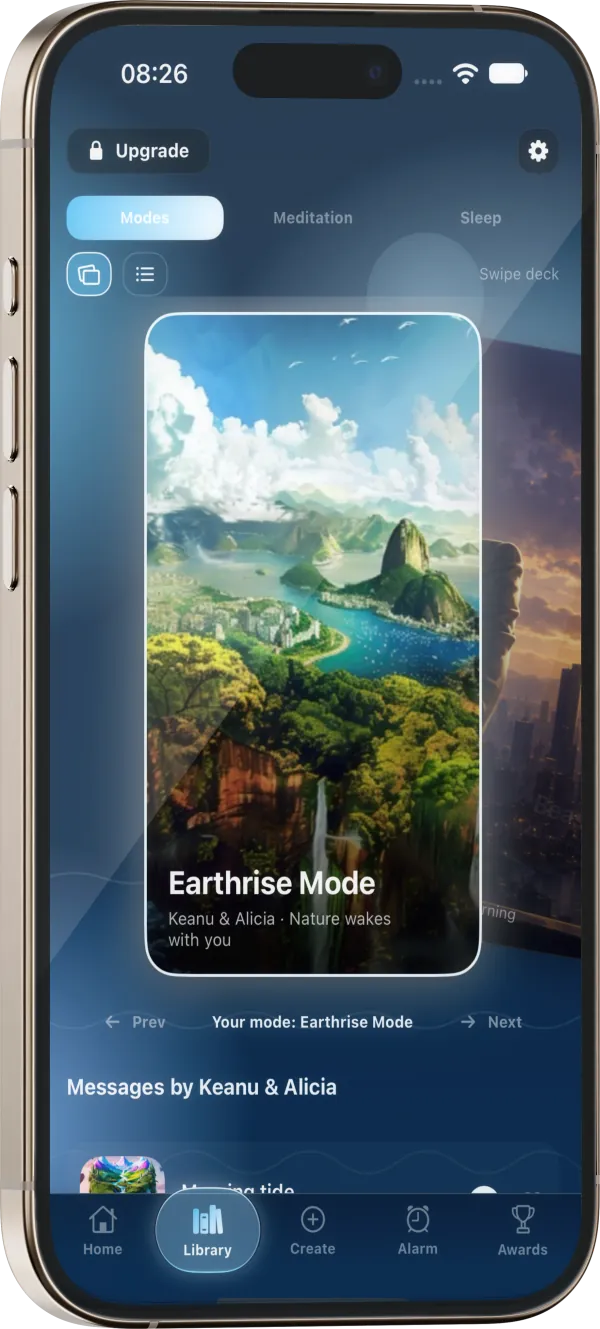
Slow Morning for a calm start, CEO Mode for focus, Beast Mode for energy, Top G Mode for discipline. Each mode changes the sound, the morning message and an optional wake-up challenge, like recalling a word from the message. Every alarm also picks its own sound: a bundled tone or your Apple Music.
Beta
WakyWaky's echo feature uses your iPhone as a small sonar. It sends a sound you can't hear and reads how it bounces back from the bed.
Here is exactly what it does.
The speaker plays a sweep from 18 to 22 kHz, above the range most adults hear. Each chirp fades in and out so the gaps leave time for the echo to return.
The microphone picks up the echo. A high-pass filter at 17 kHz removes room noise and voices before anything else happens.
A Fourier transform measures energy in the 20 to 22 kHz band. When your chest rises or you turn over, that band shifts. The change between frames is the signal.
Movement is summed into 30-second epochs, the same length used for the accelerometer tracker, and turned into an estimate of light, deep or REM sleep.
Before writing a line of code, we studied published research on acoustic sleep sensing: how inaudible sound reflects off the body and how breathing and movement show up in the echo. WakyWaky's sonar is our own implementation of that approach, tuned for an iPhone on a bedside table.
Sleep phases are shown as estimates, never as measurements. The sonar is a beta, and we will publish results here as our testing with sleepers progresses.
Beta
Ask about your own nights and get an answer built from your data: why you still feel tired at 7, whether your bedtime is drifting, or how last week compares to this one.
It runs entirely on your iPhone.
Sleep Coach · Mira
The coach sees your last seven nights: bed and wake times, hours against your goal, estimated deep, light and REM share, and snoring when the sonar beta ran.
For a specific night or a longer view it pulls up to 21 nights and compares this week with last week, including how steady your bedtime was.
Its tone follows your wake mode: blunt as Top G, high-energy as Beast, calm as CEO, gentle as Slow Morning. The answers stay about sleep and mornings.
Practical answers of about 120 words. It gives wellness guidance only and points you to a clinician for suspected apnoea, insomnia or other sleep disorders.
WakyWaky is new. We'd rather show you nothing than make something up.
Try it, and if it helps your mornings, your words could be the first here.
WakyWaky is an alarm app for iPhone. It wakes you inside a time window you choose, ideally during light sleep, then starts your morning in one of four modes: CEO, Beast, Top G or Slow Morning. At night it offers guided meditations to help you wind down.
You choose a wake window, for example 06:00 to 06:30. WakyWaky estimates when you are in light sleep from your iPhone's motion sensors and wakes you then. If it does not detect light sleep, the alarm rings at the end of the window.
No. The optional echo (sonar) beta plays an inaudible 18 to 22 kHz chirp and analyses the echo in memory to sense movement. Audio is never stored or uploaded.
No. Sleep stages are estimates for comfort and habit-building, not a diagnosis. If you have ongoing sleep problems, talk to a doctor.
Yes. New subscribers get 7 days of the full experience free. You can cancel any time in your App Store settings before the trial ends and you will not be charged.
WakyWaky is built natively for iPhone, iPad and iPhone Duo.
WakyWaky is coming to iPhone. Set your first Smart Wake window tonight.
Coming soon on the App Store…